
How to Import a Form Event into Google Ads as a Conversion Action
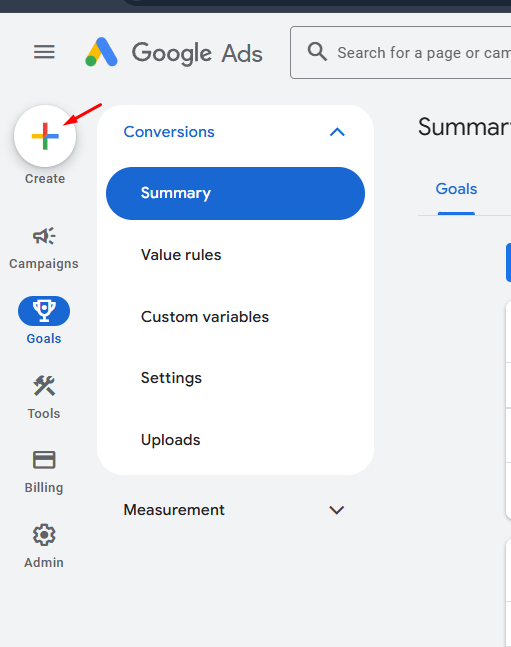
1. Click the “Create” button in the top-left corner.
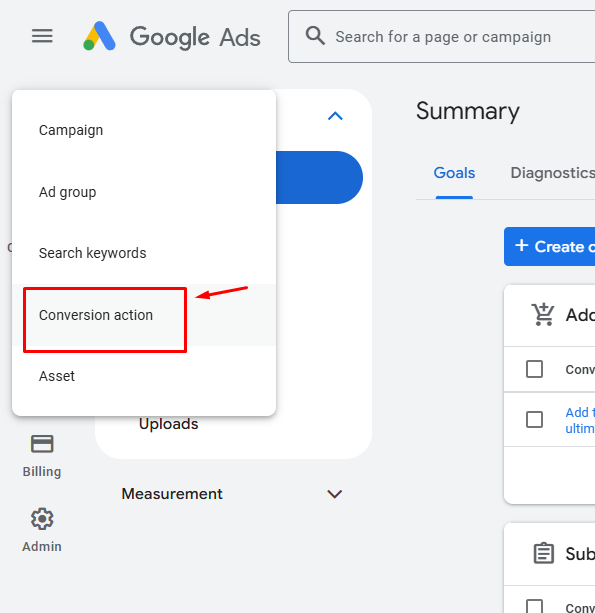
2. When the dialog appears, choose “Conversion Action”.
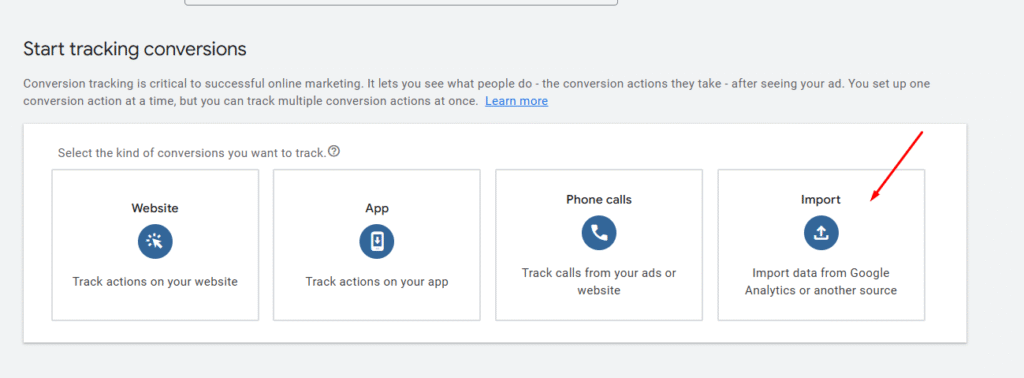
3. On the “Start tracking conversions” screen, select “Import”.
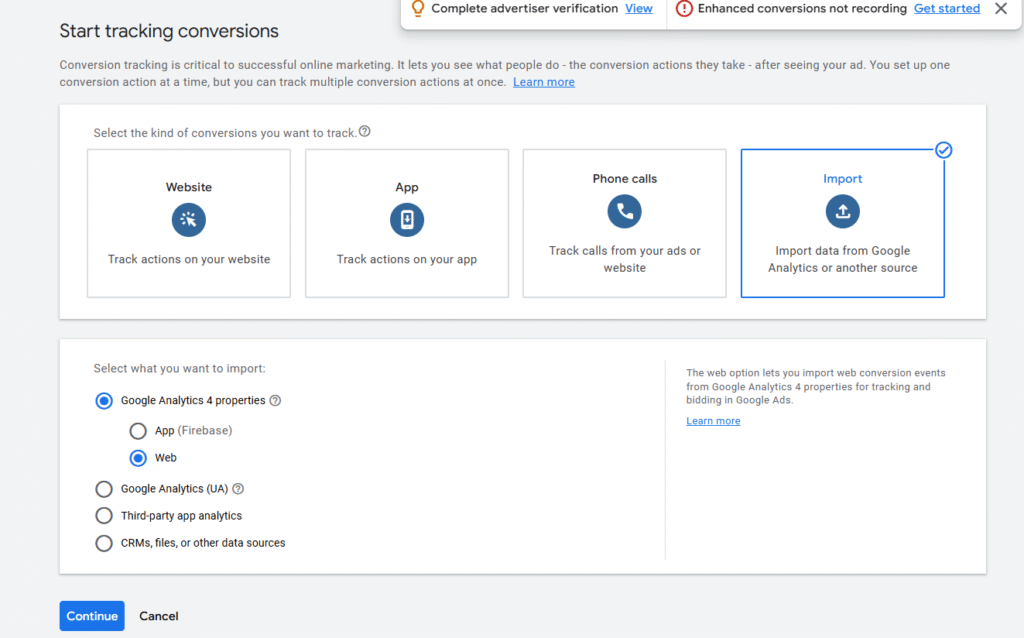
4. In the pop-up window, choose “Google Analytics 4 properties”, then click “Web”.
5. On the next screen, locate and select the event you want to import from your GA4 property.
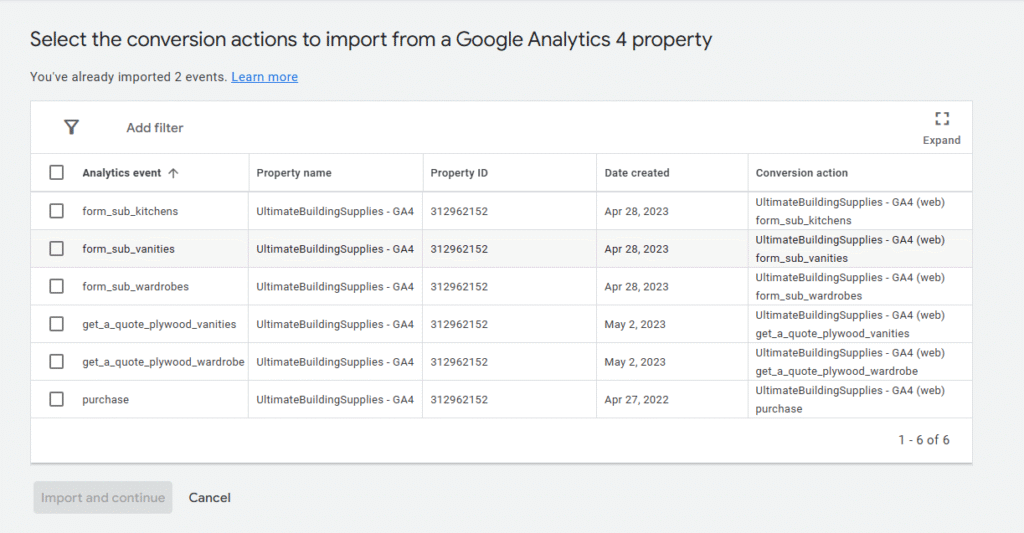
6. Click Import and Continue to finish the setup.